
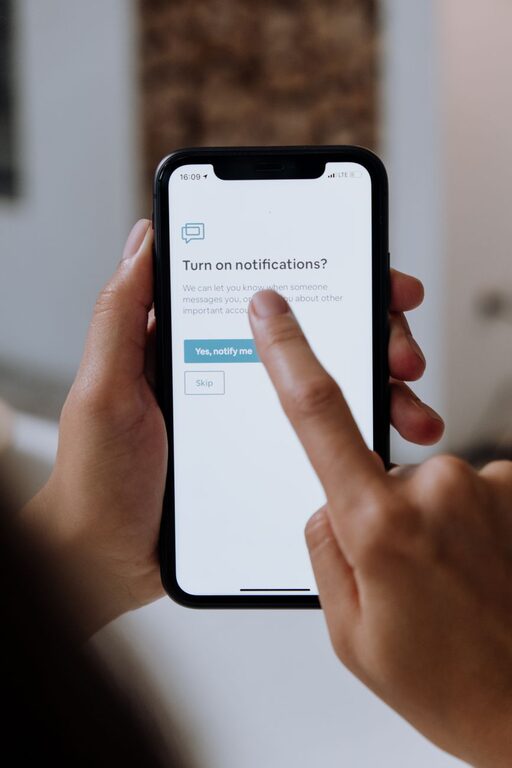
In today’s digital world, notifications are everywhere—from social media alerts to emails and app updates. While they keep us connected and informed, constant notifications can overwhelm us, disrupt our focus, and increase stress. Setting boundaries with notifications is essential to maintain productivity, reduce distractions, and improve overall well-being.
This blog post offers practical tips to help you control your notifications and create a healthy digital environment.
Why Setting Boundaries With Notifications Matters
Notifications are designed to grab your attention, but when they come too frequently or at the wrong times, they can interrupt important tasks and personal moments. By managing how and when you receive notifications, you can:
– Enhance concentration and focus
– Reduce stress and anxiety caused by constant alerts
– Improve your ability to be present in face-to-face interactions
– Gain more control over your digital life
Assess Your Notification Habits
Before making changes, it’s helpful to understand your current notification patterns.
– Track your notifications: For a day or two, note how many notifications you receive and which apps send them.
– Identify distracting alerts: Which notifications interrupt your workflow or sleep?
– Recognize your response: Do you feel compelled to check your device immediately after a notification?
Understanding these habits will guide you in prioritizing which notifications to keep and which to block.
Tips for Setting Healthy Boundaries With Notifications
1. Customize Notification Settings App by App
Not all notifications are equally important. Dive into the settings of each app and tailor alerts based on your preferences.
– Turn off non-essential notifications (e.g., promotional messages, game invites)
– Choose silent notifications or banners instead of sounds or vibrations
– Disable notifications during specific hours or activities
Many smartphones allow granular control, so spend some time customizing for each app you use often.
2. Use Do Not Disturb Mode Strategically
Most devices offer a “Do Not Disturb” feature that temporarily silences notifications.
– Schedule Do Not Disturb during work hours, meetings, or sleep
– Allow exceptions for important contacts or urgent calls
– Enable “Focus Mode” (on some devices) to limit distractions from chosen apps
This helps create dedicated periods free from interruptions.
3. Batch Check Notifications Instead of Responding Immediately
Resist the urge to respond as soon as a notification arrives. Instead:
– Allocate specific times during the day to review emails, social media, and messages
– Turn off “push” notifications for apps you don’t need instant updates from
– Use notification summaries if your device supports them, collecting alerts into one digest
Batch processing reduces constant task-switching and preserves focus.
4. Turn Off Notifications During Personal Time
Set clear boundaries between work and personal life by turning off work-related notifications outside office hours. Similarly, mute entertainment or social apps when you need downtime.
– Use app-specific schedules or manual controls
– Inform colleagues or friends about your availability to set expectations
This respect for your own time supports better work-life balance and mental health.
5. Utilize Notification Management Apps
If your device’s built-in settings aren’t enough, consider using notification management apps.
– These apps offer advanced options such as blocking, filtering, and scheduling notifications
– They can help monitor and reduce notification overload
Just ensure you choose trusted apps and review their permissions carefully.
6. Reflect on Your Notification Needs Regularly
Digital habits evolve, so make it a habit to:
– Review your notification settings every few months
– Remove apps you no longer use or need
– Adjust rules based on changes in priorities or lifestyle
Regular reflection helps keep your notification boundaries effective and relevant.
Additional Strategies for Reducing Notification Fatigue
Practice Mindfulness
Being mindful about how notifications affect your mood and productivity helps you stay aware of their impact. If you notice increased stress or distraction, it’s a signal to adjust your settings.
Create Device-Free Zones
Limiting phone or tablet use in certain areas—like the dinner table or bedroom—can reduce spontaneous notification checks and promote better rest and social connection.
Communicate Your Boundaries
Let friends, family, and co-workers know when and how you prefer to be contacted. Clear communication reduces the pressure to respond immediately and creates mutual respect for notification boundaries.
Conclusion
Notifications can be useful tools but managing them wisely is key to avoiding overwhelm and distraction. By understanding your notification habits and applying the tips above, you can take back control of your digital experience, improve focus, and enjoy more meaningful moments throughout the day.
Start small by adjusting a few notification settings today and build a routine that supports your priorities and well-being. Your mind and productivity will thank you!